
Feature Overview
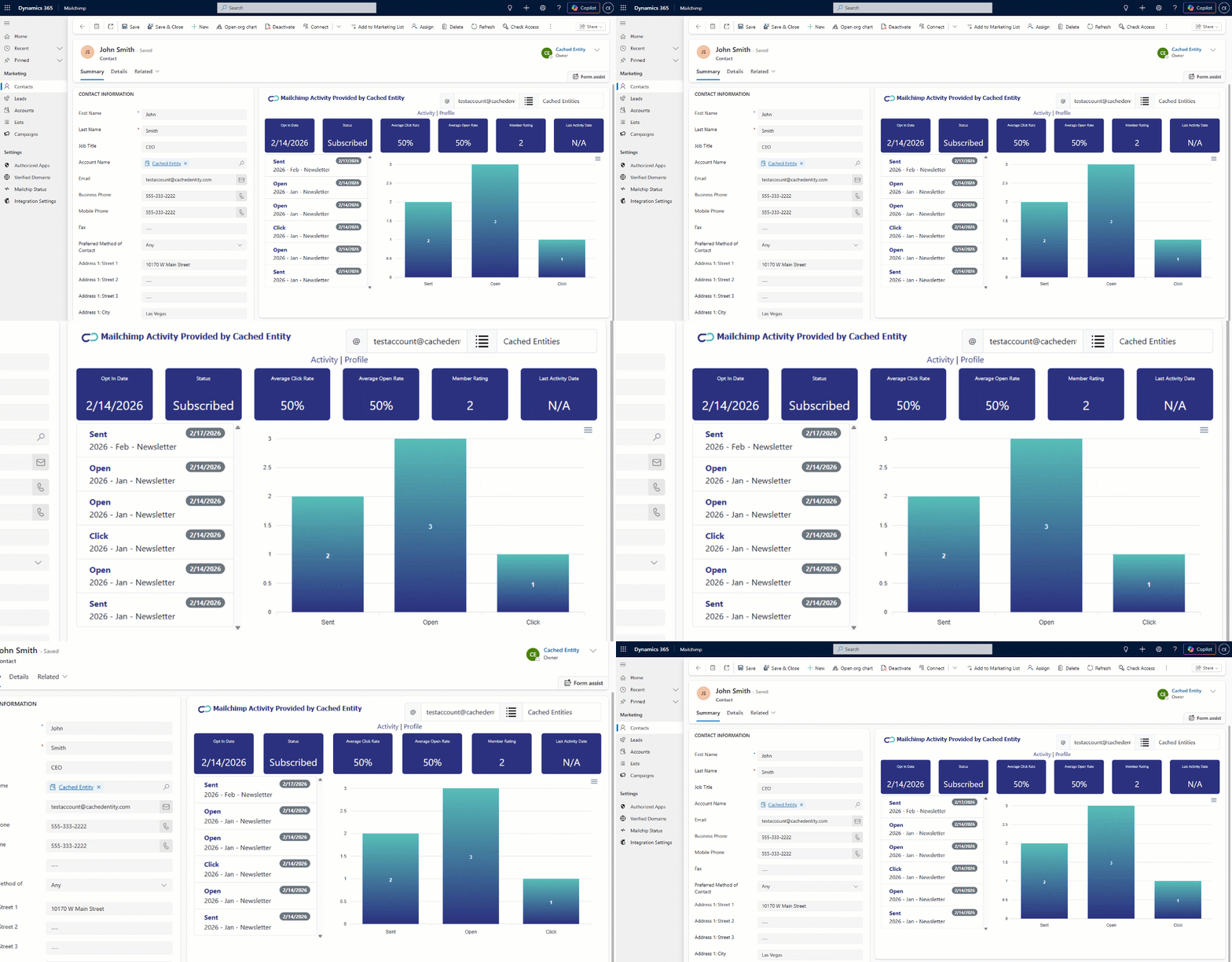
Quickly view metrics on your accounts, contacts and leads all without leaving the D365 forms
Information is updated real-time
Toggle between different audiences to view audience specific metrics
Subscribe to a specific audience directly from CRM
Synchronize profile updates from CRM into Mailchimp
Utilize our default mappings or control exactly which attributes synchronize
Why Pick Cached Entity?
Installation Steps
Installation
Installation of our solution is done via the Microsoft Marketplace. No credit card, technical resources, mapping. Just click through the installation wizard. You can start here. Installation only takes a few minutes.
Launch the Mailchimp App
After installation is complete. A new Mailchimp app will appear in your D365 environment. Click into the app and the Welcome screen will launch, taking you to our website to complete the installation through a wizard. This will take a minute or two to complete.
Test the Installation
Once step 2 is complete, open an existing contact in the Mailchimp app. You will see the metrics already displayed in our custom form.
Pricing
Monthly Option
$100
Simple pricing - no per user or per contact fees.
Annual Option
$1,000
Get 2 months free!